Home › Help › Your driver page: what others see
Your driver page: what others see
Every driver has a page: their numbers, records, latest runs and honours.
To open yours: My account › Profile › View my public page. For someone else's, click their name in the leaderboard.
At the top: the name, country, the sign-up date and last run, badges (challenge wins, records held) and Copy the link to share the page on Discord. On another driver's page, Duel opens a duel against them straight away.
Below, the numbers: Runs, Stages (and cars), Records held (first place on a stage), Challenges raced (wins and podiums) and Medals (the total on the game's challenges, when the driver has some).
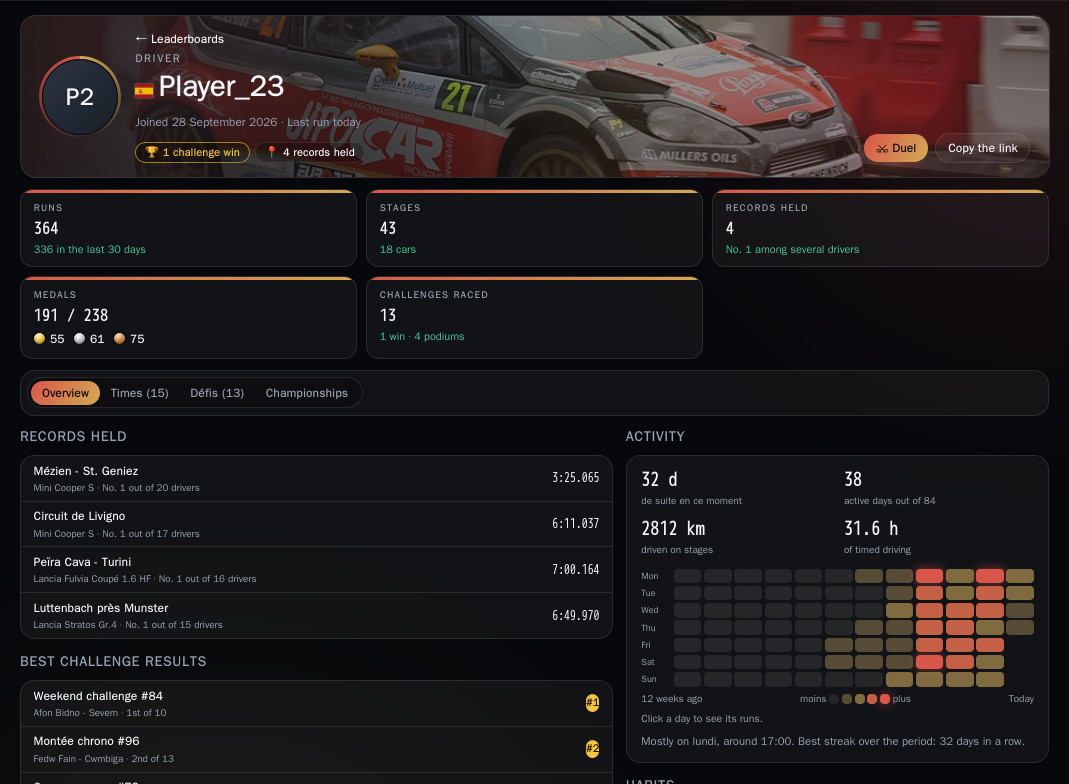
1. The Overview tab
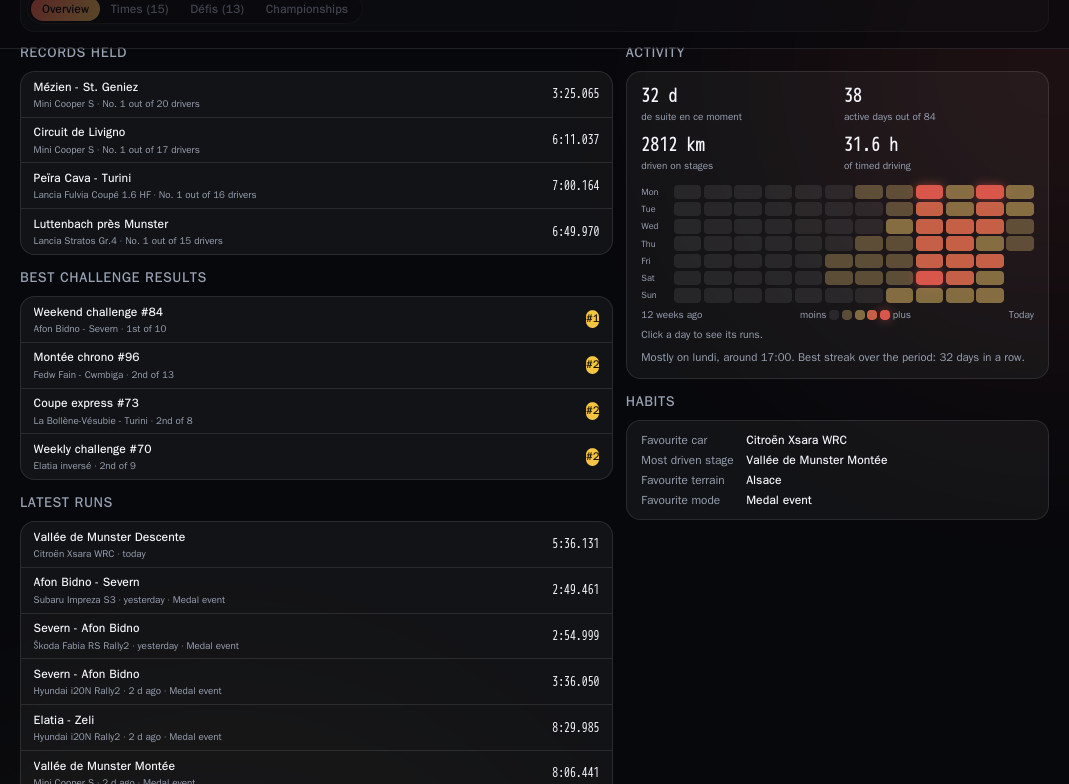
- On the left: Records held (with the place out of the number of drivers), Best challenge results and Latest runs.
- On the right: Activity (streak of days, active days, kilometres driven on stages, hours of timed driving) with a calendar of the last 12 weeks (click a day to see their runs), then Habits: favourite car, most driven stage, favourite terrain, favourite mode.
2. The other tabs
- Times: the driver's best time on each stage, with their place, the car and the setup when linked. All / Podiums / Wins filter and a search by stage or car.
- Challenges and Championships: the ones they took part in, with their results, and a search by name.
3. Who can see your page
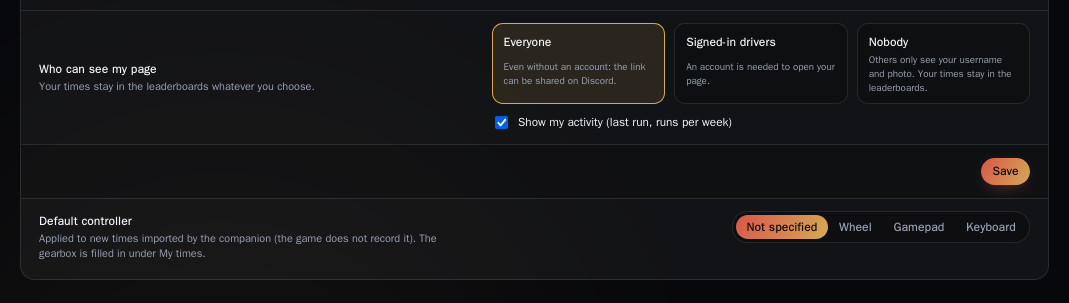
In My account › Profile, Who can see my page, then Save:
- Everyone (default): even without an account;
- Signed-in drivers: you need an account to open it;
- Nobody: others only see your name and photo.
This choice only closes your page: your times stay in the leaderboards under your name. The Show my activity (last run, runs per week) box hides or shows your activity.
You can also show your Discord name on your page (if your account is linked) and add your Twitch channel, which appears at the top of your page.
Your driving traces have their own setting on the same page: For to show them to everyone, Against (the default) to keep them to yourself.