Challenges
A challenge is one stage, one car (or any car) and a set period to post the fastest time.
Drive whenever you like, on your own, in Time attack. The companion sends your runs and the standings update by themselves.
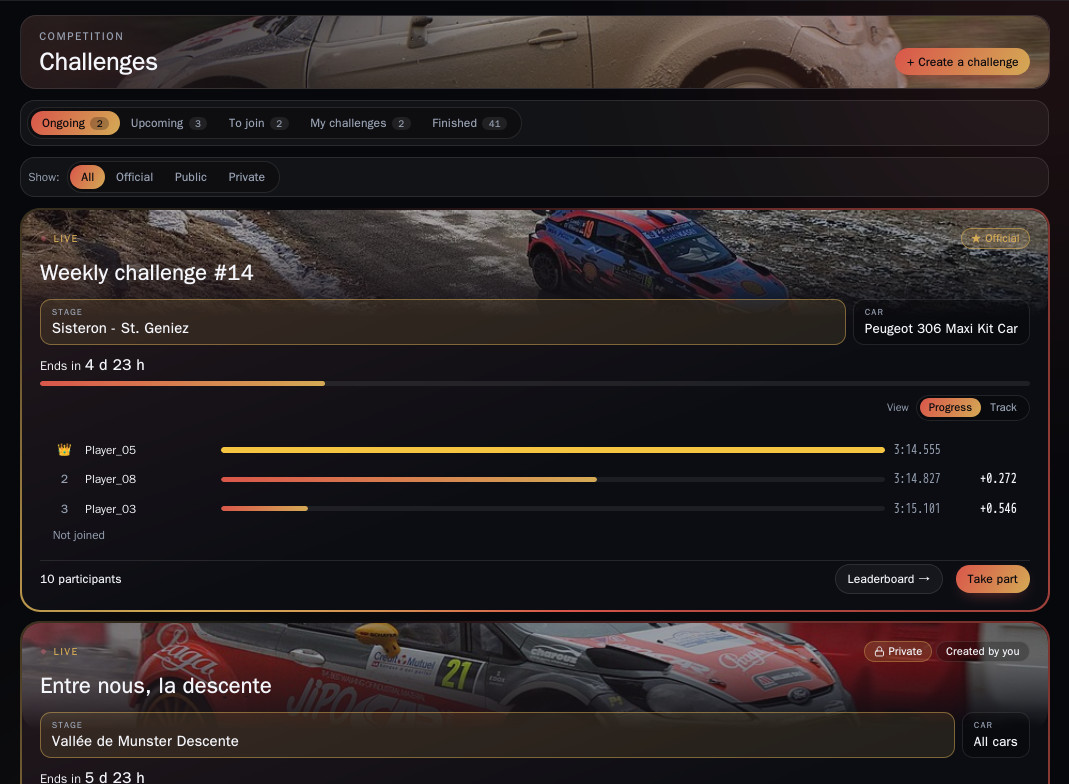
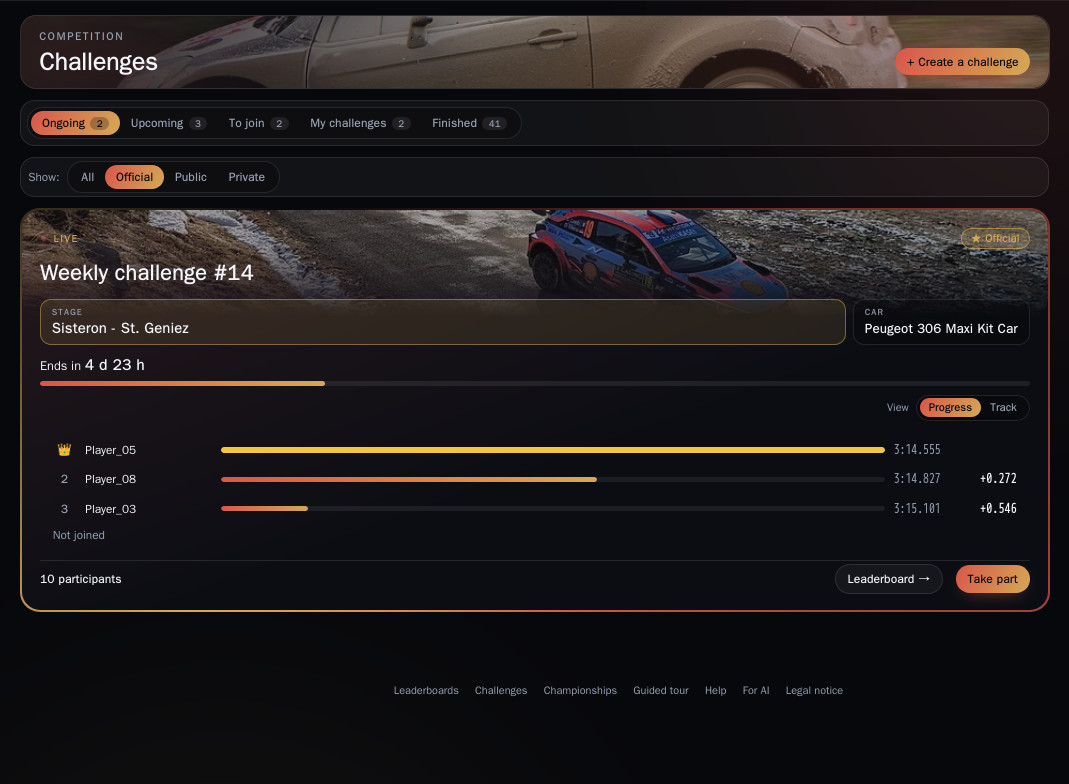
It all happens in the Challenges tab of the site: Ongoing, Upcoming, To join, My challenges and Finished. The Show filter splits Official, Public and Private challenges.
1. Official challenges
Run by the Assetto Rally Times team, they carry the ★ Official tag: one challenge every week, open to every driver on the site. Their announcements, reminders and results land in the challenges channel on Discord.
2. Driver challenges: public or private
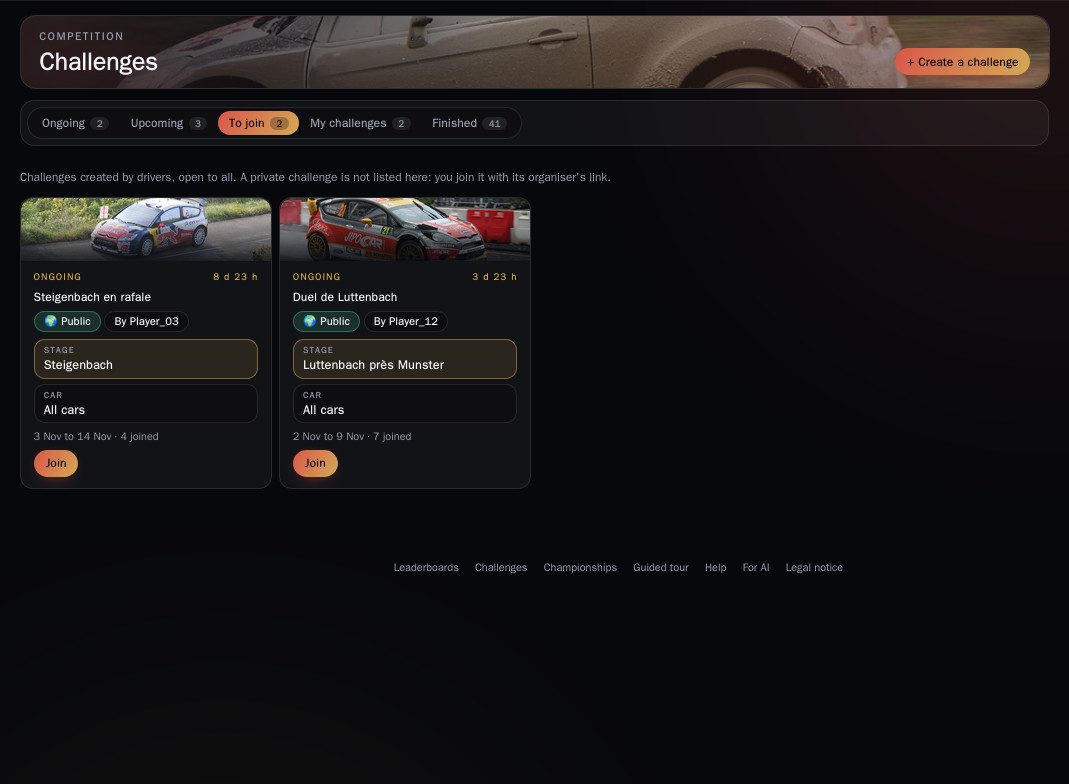
Any driver can create their own.
- Public: listed under To join, any signed-in driver joins in one click.
- Private: hidden from the lists, you join with the organiser's invitation link (Discord, team, friends).
3. Create your challenge
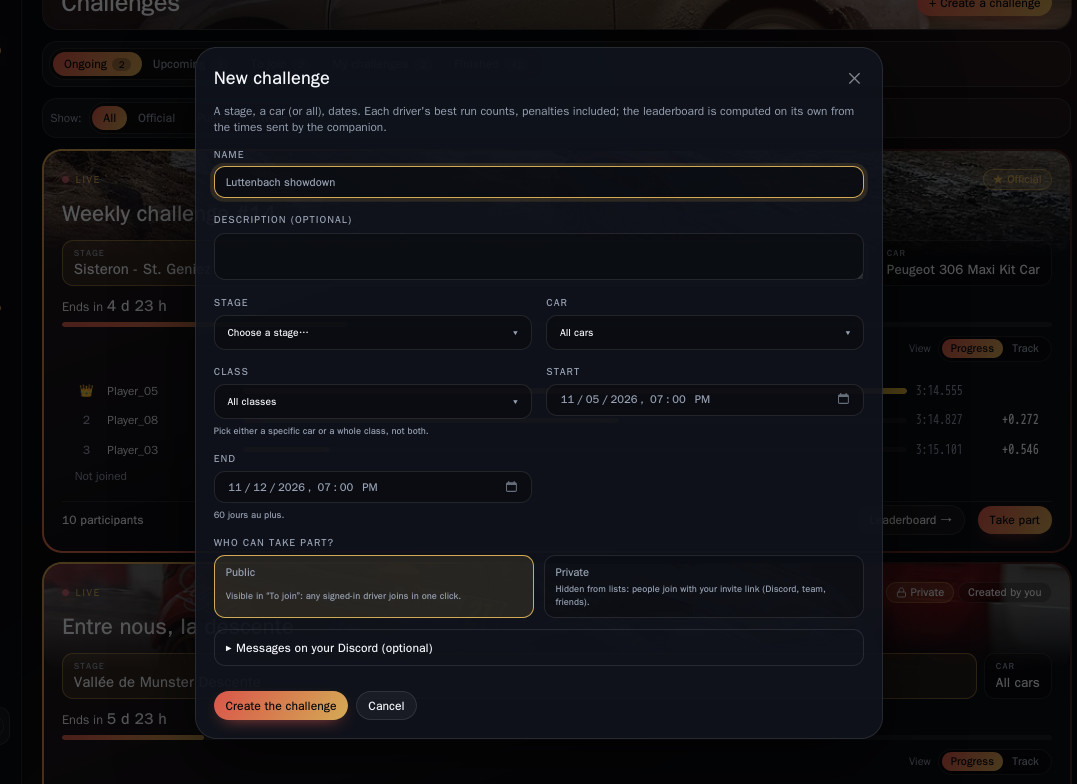
+ Create a challenge: a name, a stage, a car (or any car), a start, an end, then public or private. Each driver's best run counts, penalties included.
Want to follow your challenge on your own Discord server (a team, friends, another community)? Under Messages on your Discord, paste the address of a webhook from your channel (Channel settings › Integrations › Webhooks), then pick what you want to receive: announcement, updated standings, final podium, reminders. Test the webhook checks that it works. The address stays secret: only you can replace it.
4. Sign up
Two ways to sign up:
- On the site: open the challenge and click Take part.
- On Discord: click Join the challenge under the announcement or a reminder. Your Discord account must be linked to the site (My account › Discord).
To appear in the standings:
- Sign up for the challenge: possible until the last minute.
- Link the companion to your account (see the guide "Install and link the companion").
- Drive the stage in Time attack with the requested car.
Only entrants are ranked, but runs you made during the challenge period count even if they predate your sign-up. You can withdraw at any time.
5. Follow the standings, then the end
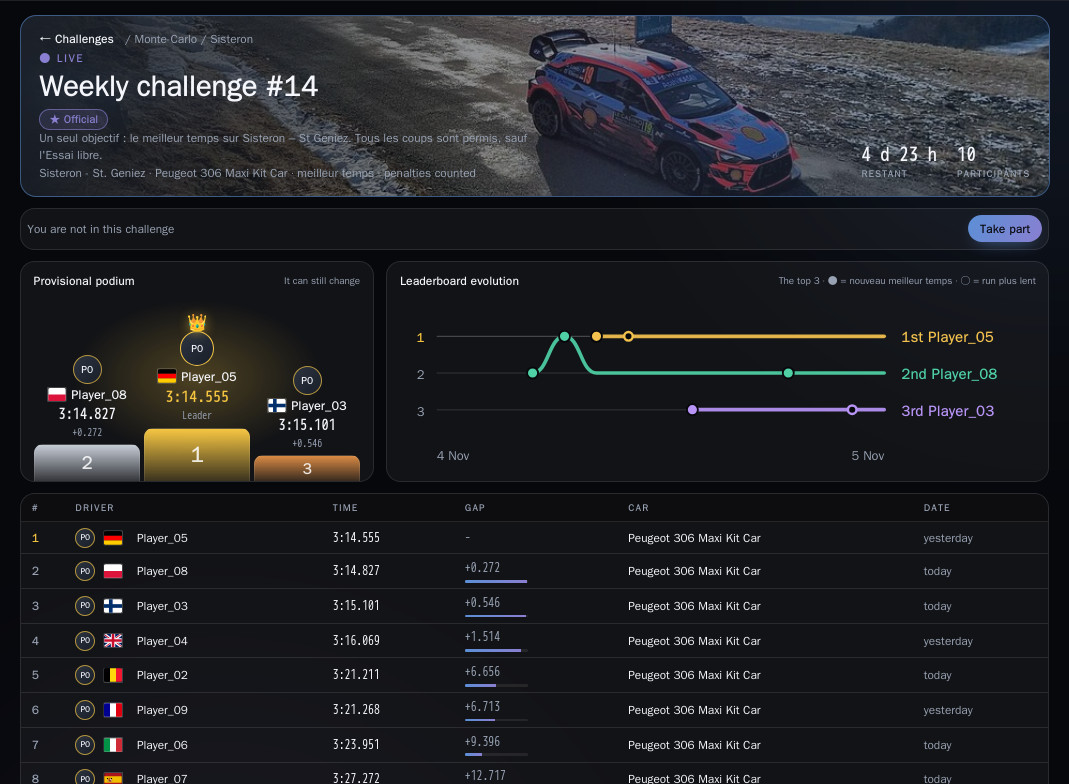
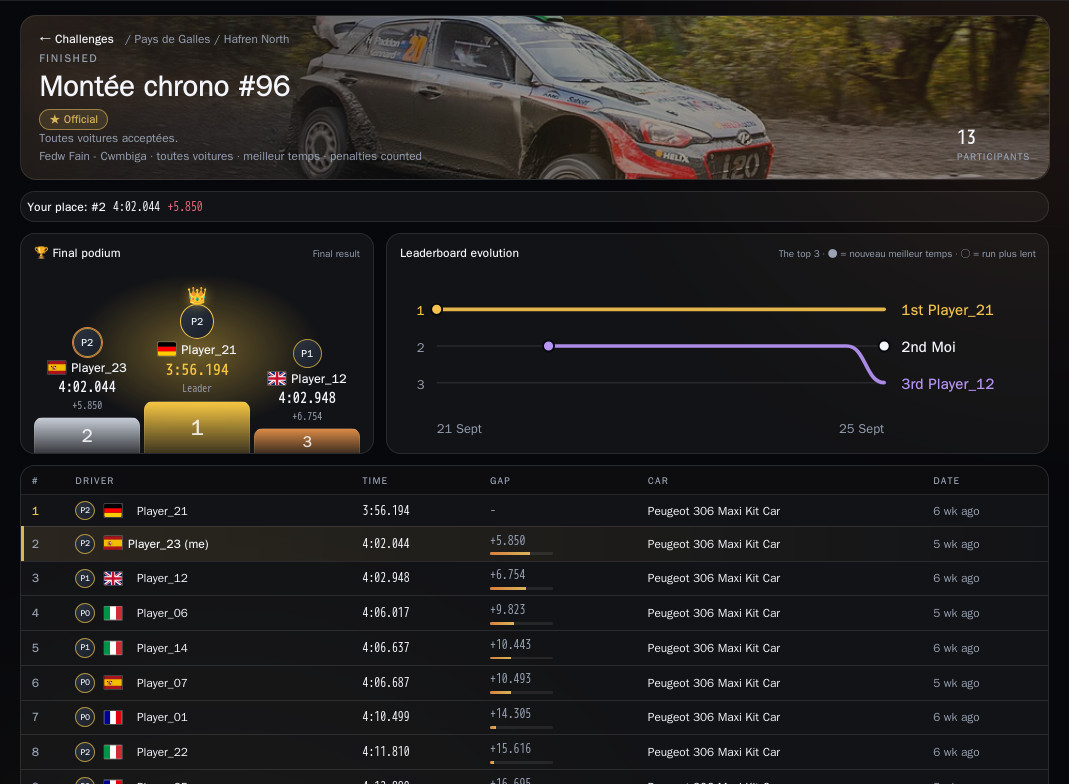
The challenge page shows the provisional podium (it can still move), the leaderboard evolution of the top drivers over time, and the full table: time, gap to the leader, car and date.
When the challenge closes, the podium becomes final and the full standings stay available.
6. Your record
At the top of the Challenges tab: challenges played, wins, podiums and best place. My challenges lists the ones you entered; Finished keeps every past challenge and its winner, with a search.
7. On Discord
- The challenges channel announces each new challenge, keeps the standings up to date in a single message, sends reminders at the start and 24 h and 2 h before the end, and posts the results.
- Each challenge creates a Discord event: click "Interested" to get the reminder at the start.
- Is your Discord account linked to the site? The Join the challenge button under announcements signs you up without leaving Discord.